Kong Studios
Welcome to Kong Studios – The band’s HQ since early 2000.
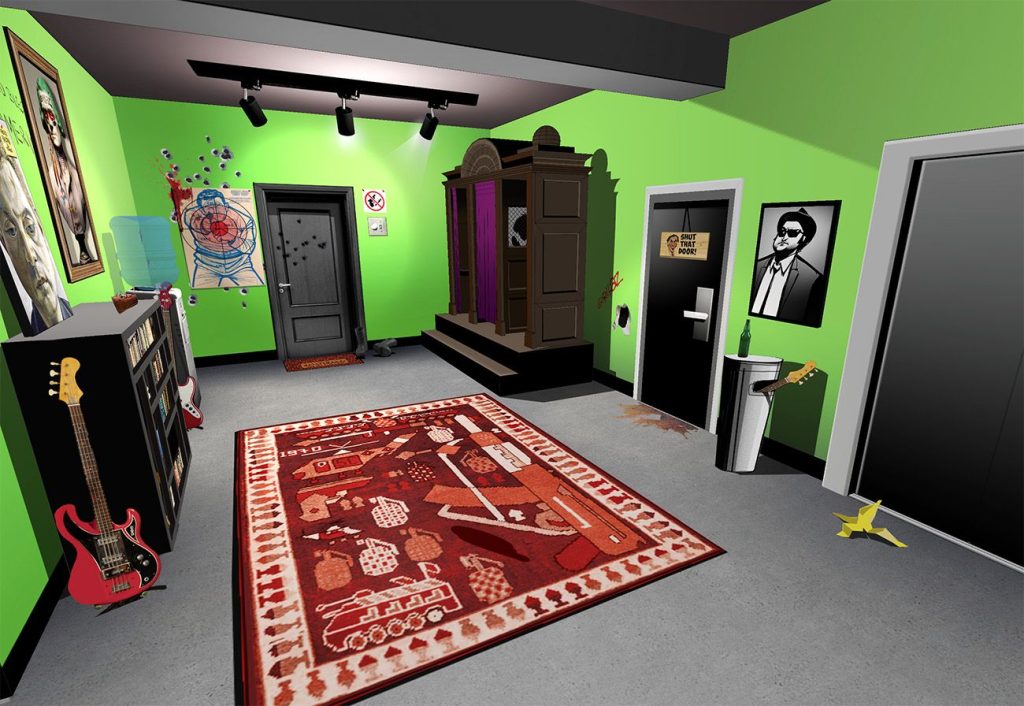
A virtual gathering place for fans, where you can explore the band’s living quarters and recording studio, listen to music, play games, fight zombies, and much more. It’s also the best place to get all your Gorillaz news first and exclusive sneak peaks.
Getting into Kong Studios
- Entry: Head to kongstudios.gorillaz.com
- Now What Do I Do? Fight the zombie gorillas to get to the gates of the studio. Or just click SKIP and you’ll be taken straight to the studio lobby.
The Lobby and Graveyard
- Fight zombie gorillas in the Graveyard
- Listen to your favourite Gorillaz songs on the jukebox
- Confess your sins with Murdoc in the confession booth
- Try the lucky lift and see where you end up
Want to see more?
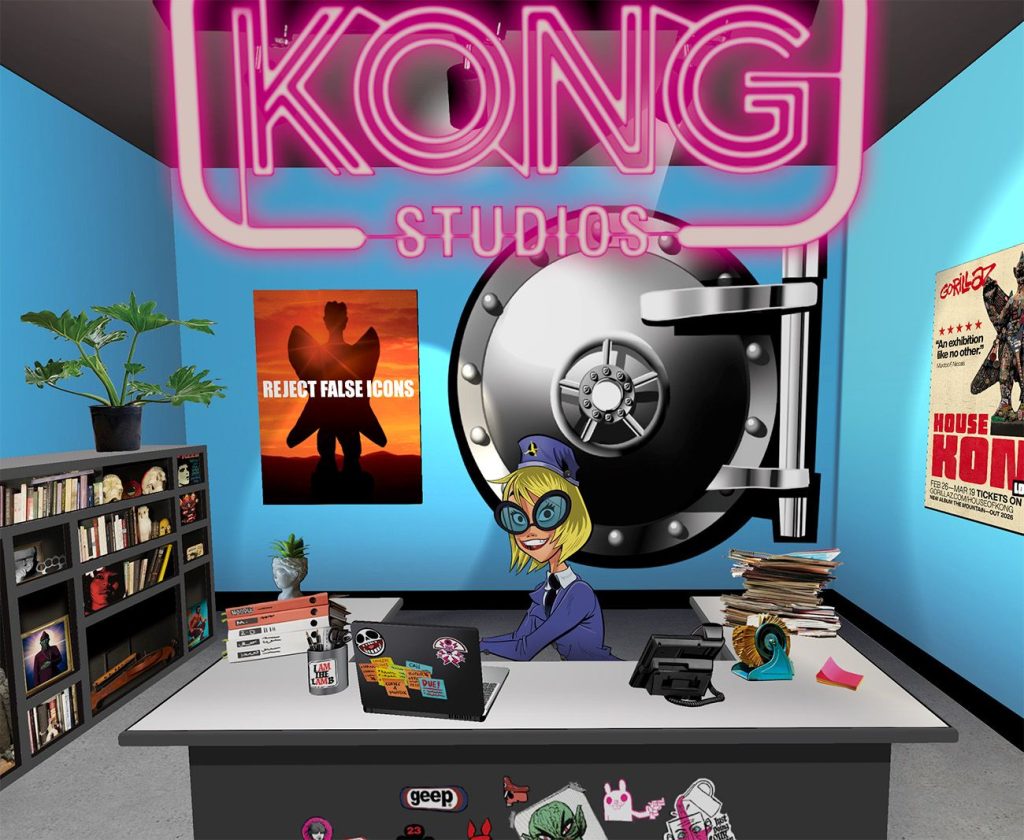
The lobby and the graveyard are open to everyone, but if you want to explore the other floors, you’ll need to find and speak to Rosemary, the receptionist and create a free account to access the rest of Kong Studios*.
- Use the elevator to visit the 1st floor and explore Noodle and Russel’s rooms
- Follow the ground floor corridor through the door next to the confession booth to see 2Ds room and the gallery
- Venture down to the basement via the elevator to see the iconic Gorillaz vehicles, step inside Murdoc’s Winnebago and play the Kong Racers game
- Kong Studios
Opt in to the mailing list when creating your account and you’ll receive an email each time a new area opens.
*You need to be 13 or over to create an account
Kong Card
The Kong Card is Gorillaz exclusive digital membership card.
For just $4 a year you get
- First access to future tour ticket presales (subject to availability)
- A personalised Kong Studios membership card for your digital wallet (Apple Wallet or Google Wallet)
- Gorillify Yourself: Design your own unique avatar using original Jamie Hewlett art
- Plus early access to: new rooms in Kong Studios, new merch drops, and more…
How to Get One
You can purchase a Kong Card Directly at www.gorillaz.com/kongcard
- Or speak to Rosemary in the lobby of Kong Studios to create a free Kong Studios account or sign in if you’ve already created an account
- Click on Rosemary’s laptop to access the Kong Card page
- Accept the terms of use and click SUBSCRIBE HERE then enter your payment details on the payment page
- Once completed you’ll be redirected back to Kong Studios to create your avatar and download your card
- Your Kong Card will be available to add to your Apple or Google wallet via the Kong Card members area on the laptop
- Chat to Rosemary to build out your profile
HAVING ISSUES
KONG STUDIOS
Mobile Users: Kong Studios is best experienced in landscape mode, as some features (like signing up or buying the Kong Card) might not work perfectly if the screen is vertical, or depending on your device. For the best experience, you are recommended to explore on a desktop or laptop computer.
When Do New Rooms Open? Create an account and join the mailing list, and you’ll be the first to know. Kong Card holders have access to new rooms before anyone else.
KONG CARD FAQs
What to Do If You Have Problems With Your Kong Card
- Payment Screen Won’t Load: If you can’t see the payment pop-up in Kong Studios, your browser probably has a pop-up blocker enabled (especially if you’re using Safari). You’ll need to allow the pop-up window to open or adjust your browser’s settings/preferences. For more see: Safari / Chrome / Firefox / Opera. Alternatively you can get a card at www.gorillaz.com/kongcard.
- My Avatar is Locked! Your membership allows you to create one avatar. Once you click “finish” and then “confirm,” it’s locked forever. Choose wisely!
- Can’t Download the Card/Avatar: Sometimes your computer downloads a text file instead of the card pass – especially for Apple users. Try changing the file name/extension to .pkpass. Then, email it, AirDrop it, or message it to your phone and open it there. It should work! If not, email us.
- Need to Update Payment/Cancel? You can handle your membership via Kong Studios anytime by clicking “Manage Subscription” then “Cancel Subscription” on the Kong Card tab. (If you cancel, you will not be charged again, and your Kong Card membership stays active until the end of the 12-month period you paid for). Any questions or difficulty, email us.
- Can I get a refund? Once you’ve accessed the card’s benefits (like making your avatar or downloading the card), refunds are unavailable.
- Still Stuck? If none of the above fixes work, email us.